WUCP — Windows Update Control Panel
Because your machine can't afford a surprise reboot.
If your computer can't afford a stolen CPU cycle or a reboot with no warning — you're trading, gaming, streaming, rendering, running something unattended — Windows Update is working against you by design. It reboots on its own schedule, not yours, and it can start eating CPU and disk in the background without ever asking.
WUCP takes that decision back. It locks Windows Update down at the same registry level Microsoft itself protects, keeps that lock enforced automatically, and only ever opens it back up the moment you choose to check — nothing installs, and nothing reboots, unless you say so.
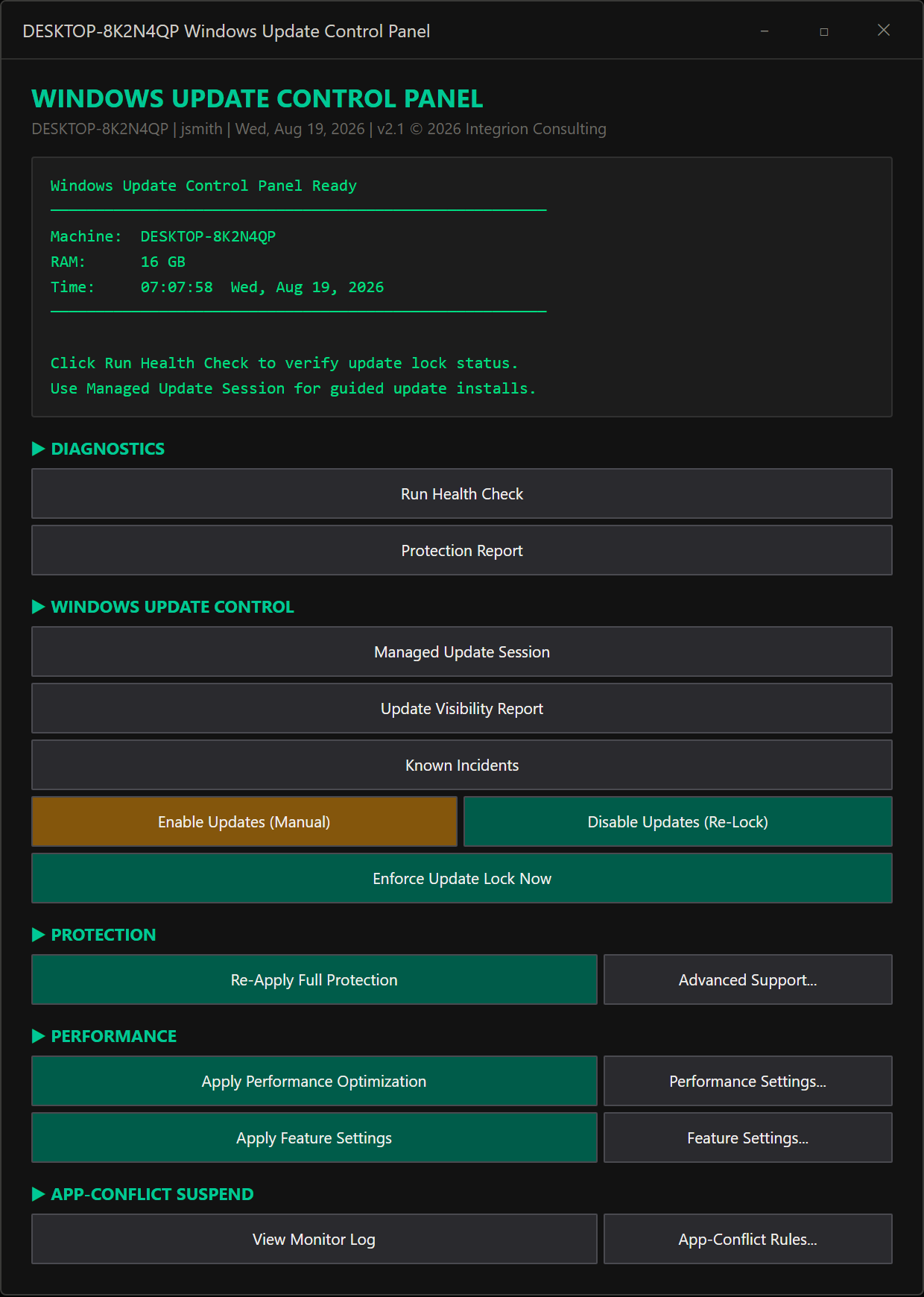
Managed Update Session
Locking Windows Update down solves the surprise-reboot problem — but it raises an obvious question: how do you ever install an update you actually want, like a real security patch, without turning the whole protection off and risking forgetting to turn it back on?
Managed Update Session is the answer. It opens one supervised, time-boxed window — the lockdown never actually comes off, it's authorized to take one look — you search for what's available, see exactly what's found, and decide: install everything, just the critical ones, or cancel. The moment the session ends, the lock re-applies itself automatically, even if something goes wrong along the way.
Self-checking, by design
To lock down Windows Update on your machine the way it does — taking ownership of registry keys even Microsoft restricts, running as SYSTEM — this software needs a level of access most programs never ask for. That's exactly the kind of access you should be cautious about, so every file we ship is sealed with an Authenticode signature, Microsoft's own code-signing standard, tied to Integrion Consulting.
Anytime our software installs or runs, Windows checks that seal to confirm it hasn't been silently tampered with or compromised. Try to run a tampered file, and it simply won't run. That's what we mean by self-checking, by design — it's how we deliver integrity you can trust.
Authenticode is a trademark of Microsoft Corporation.
What we'll never touch
We won't lower UAC (Windows' own permission-prompt system). We won't touch the network protocol stack blindly. We won't disable Windows Defender or any security service. We won't touch driver settings we don't understand. We won't blanket-deny background-app permissions — that breaks Teams and Zoom notifications. We won't fully remove Edge — some brokers embed their login page in it. Every one of these is a deliberate limit, not an accident — we know exactly where a careless optimization script does real damage to your machine, and we stop before we get there.
Pro Tier
Guardian Diagnostics
When something on your machine breaks — a driver crash, a service that won't start, an update that half-installed — the answer is usually buried somewhere in the Windows Event Log. Reading it is its own specialty: cryptic event IDs and source names that mean nothing without real Windows internals knowledge, with no plain-language explanation of what happened or what to do about it.
Guardian Diagnostics watches continuously and matches what it finds against a curated library of known failure signatures — a plain-language diagnosis and fix, not a raw event ID. When something unknown is detected, we use cutting-edge AI to automatically troubleshoot the Windows Event Log — delivering a detailed analysis of what went wrong and exactly how to remediate or fix the issue. We deliver the power of advanced IT analysis directly to every desktop you own.
Alert Routing
A diagnosis sitting in a log file or a dashboard window does you no good if you're not the one looking at it — asleep, at work, away from the desk, or simply not staring at this machine the moment something goes wrong.
Alert Routing means you don't have to be sitting in front of your machine to find out. Diagnoses and protection events can be easily configured so that they can go straight to Slack, Discord, or any other webhook-configurable messaging platform you choose — wherever you already are.